
Google includes copyright information from Safe Creative in Image results
You may have noticed that Google has recently started including the copyright information in Image results. In this example you can see a new link called “Image credits”, right underneath the preview:
This is very good news. Thanks to the new information available, based on metadata, it’s easier to contact creators and rightsholders to make a proper use of the work. Contacting the right person can be a hassle more often than not.
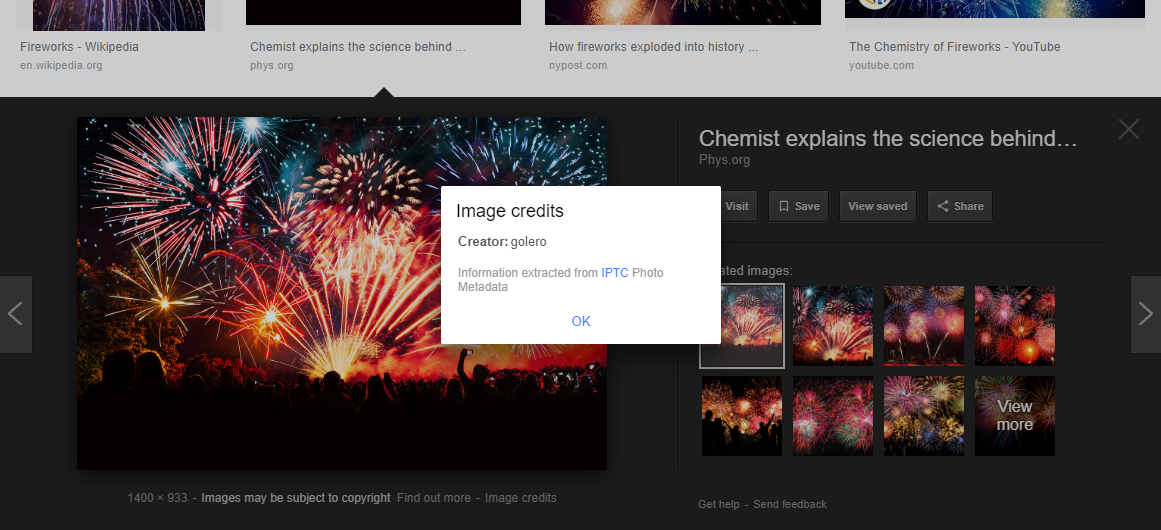
This feature of the search engine has been a joint initiative of the CEPIC (Coordination of European Picture Agencies Stock, Press and Heritage) and IPTC (International Press Telecommunications Council). We believe it’s a step in the right direction and, hopefully, more services will start using similar solutions to offer reliable copyright information.
Related: On the role of private copyright registries in 2019.
Links to Safe Creative on Google Images
In order to understand the information that is displayed in Google’s image results, it’s necessary to know what metadata are. In this context, they’re information contained in the image file, sort of like tags which other systems can understand and repurpose to show them to their users.
These metadata can be created and edited manually. The easiest way is to right-click on the file, select “Properties” > “Details” and fill in what you need. You can specify things like the work’s title, authors, and the license in the “Copyright” field. Once you do this, if Google ever indexes that file, the fields “author” and “copyright” for example will be shown anytime someone clicks on “Image credits”.
However, this solution can be problematic in the long run. What happens if you change your mind about the license? For example, you can upload the photo to your blog, specifying the license “CC by-sa” in the metadata. After a year, you may decide that this doesn’t work for you anymore. You may decide to be more restrictive and switch to “All rights reserved”.
If someone took the photo when it was under a Creative Commons license and used the same file, that photo will be indexed with the old metadata. Google will be showing inaccurate information that you can no longer edit since you have no control over all the copies of your file
Also, when a user finds an image with two different licenses, he can comply with the less restrictive one by default. We explain this in more detail in this article: What to do when a work has several different licenses.
To fix this problem, Safe Creative’s images’ metadata includes the link to the work’s record page in the registry, or to the creator’s profile, instead of the license information in plain text.
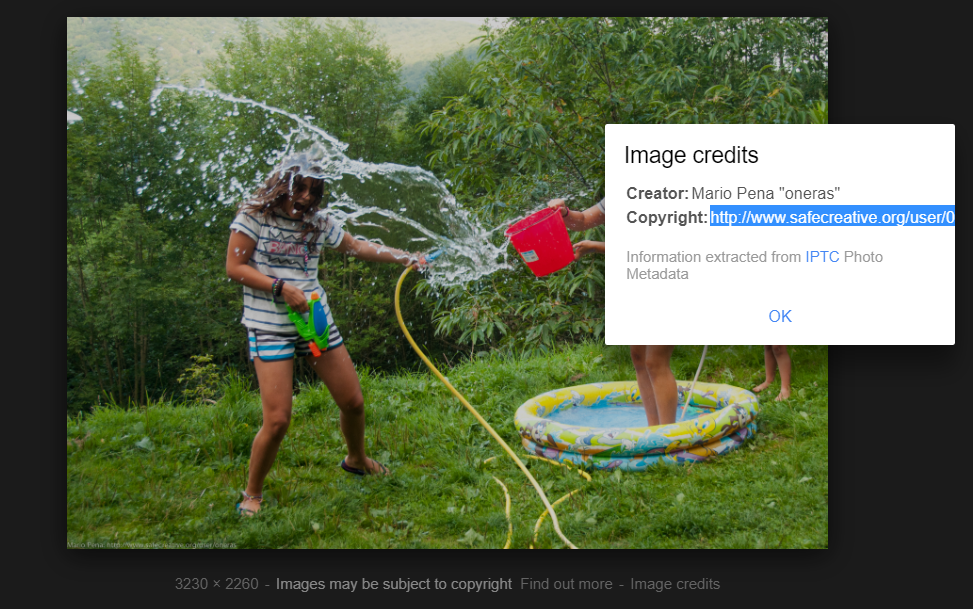
This way, if you ever changed your mind, you can edit the information on the page and the link will keep taking any interested party to the updated, correct details. Even if you lose control over the image and there are copies around the Internet, the metadata will still include a link to the registry. Your work’s page at Safe Creative includes not only the license information but also all the details you may consider relevant about your work and rights.
How to make the most of metadata as a visual creator
We recommend you to follow these steps:
- Register your image in Safe Creative.
- Download the image from the registry to have a file with all the metadata we include in it. Or edit the “Details” of the file manually, including a link to the work’s record page in the field about copyright.
- If you ever need to change the work’s copyright information, enter Safe Creative, change it there, and forget about it. Any other copy of your image coming from this file will still contain the link to the current details.
